MSFT's Hourly Chart Turns On Its Own Monthly Options Max-Pain Pin And Its Own AI-Capex Guidance Number, Not The Same Bar-By-Bar Signals A Faster Chart Uses
When you see the nine setups built around how MSFT actually turns on the hourly chart, you will stop treating a stretch away from a heavily-held monthly options strike and MSFT's own AI-capex guidance number as background noise and start reading them as the specific mechanics that pull this stock back into line across a full session.
You will know how MSFT's own options open interest concentrates in standard monthly contracts held by long-only institutional and index-fund accounts rather than the weekly, retail-heavy chain a name like AAPL carries, how that concentration tends to pull price back toward the largest strike into the final hours before standard monthly expiration, how MSFT's own quarterly capital-expenditure guidance for its AI and data-center buildout tends to compress its range into the print and then break hard once the actual number lands, where the prior day's pivot levels actually hold, and what a genuine two-day volume-climax extreme looks like once it stalls.
Most MSFT reversal losses on this timeframe come from calling a turn with no genuine options-flow, capex-guidance, or session-structure mechanic behind it.
You will get a failed breakout above the prior session's high, a failed breakdown below the prior session's low, a monthly options-expiration max-pain pin reversion, a pre-earnings AI-capex guidance compression squeeze reversal, a prior-day pivot resistance fade, a prior-day pivot support bounce, bearish and bullish RSI divergence at a multi-day swing extreme, and a two-day volume-climax exhaustion reversal.
You will see all nine setups in full, entry to exit, before you pay for a single one of them, one dollar unlocked at a time.
A stretch away from a heavily-held strike is not a trend.
This pack shows you what a genuine MSFT reversal looks like once that stretch, or that capex number, actually fails to hold.

“Most MSFT reversal losses on this timeframe come from calling a turn with no genuine options-flow, capex-guidance, or session-structure mechanic behind it.”Jason Parker, founder, Reversals Trading
Introducing The MSFT Reversal Setups Pack (Hourly)
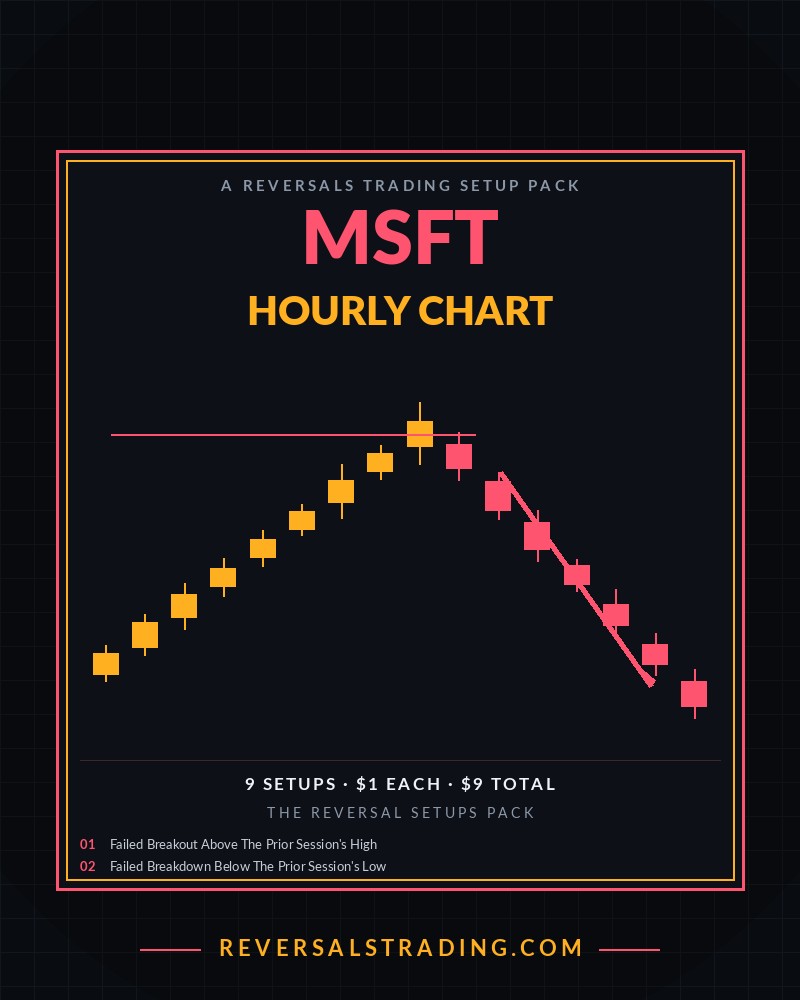
A Reversals Trading Setup Pack
The MSFT Reversal Setups Pack (Hourly)
Nine ways to catch MSFT's reversals on the hourly chart, built around a monthly options-expiration max-pain pin, a pre-earnings AI-capex guidance compression squeeze, prior-day pivot zones, and a two-day volume-climax reversal sized to how MSFT actually turns across a full session.
- Setups9, each priced individually at $1
- FormatInteractive preview on this page, plus a printable PDF cheat sheet after checkout
- AccessInstant, right after checkout, yours to keep
- Built forMSFT specifically, hourly chart, its own reversal mechanics
- AuthorReversalsTrading.com
$1 per setup, 9 setups, $9 total. Every setup is priced and shown to you before you pay for any of it.
Try It First
Preview Every Setup In This Pack
Click through all 9 setups below. Each card is the entry trigger, the confirmation, and the invalidation point, the same detail you get after checkout. The bar fills as you go, one dollar unlocked per setup.
What's Inside
All 9 Setups
- 01Failed Breakout Above The Prior Session's High. Fade a break above the prior session's high once MSFT closes back below that level, since a breakout referenced against the prior full session carries more weight than a same-session range test.hourly chart
- 02Failed Breakdown Below The Prior Session's Low. Fade a break below the prior session's low once MSFT closes back above that level, the mirror of the failed breakout above the prior session's high.hourly chart
- 03Monthly Options-Expiration Max-Pain Pin Reversion. Trade MSFT's own reversion toward its nearest heavily-held monthly options strike inside the final two hours before standard expiration, a mechanic that exists because MSFT's own open interest concentrates in monthly contracts held by long-only institutional and index-fund accounts rather than a weekly, retail-heavy chain.hourly chart, the final two hours before standard monthly expiration
- 04Pre-Earnings AI-Capex Guidance Compression Squeeze Reversal. Watch for MSFT's range squeezing tighter before earnings, specifically around its own reported AI and data-center capital-expenditure guidance, then trade the confirmed break in whichever direction it goes, rather than guessing the earnings reaction itself.hourly chart, the sessions leading into an MSFT earnings date
- 05Prior-Day Pivot Resistance Fade. Fade a rally into MSFT's own prior-day pivot resistance level once the hourly bar testing it closes back below, a level calculated fresh from the prior session's own high, low, and close rather than an arbitrary round number.hourly chart
- 06Prior-Day Pivot Support Bounce. Buy a selloff into MSFT's own prior-day pivot support level once the hourly bar testing it closes back above, the mirror of the pivot resistance fade on the same calculated reference.hourly chart
- 07Bearish RSI Divergence At A Multi-Day Swing High. Short a fresh multi-day swing high in MSFT when RSI fails to confirm it, since weakening momentum into a higher high across several sessions is a stronger reversal tell on the hourly chart than a single-session read.hourly chart
- 08Bullish RSI Divergence At A Multi-Day Swing Low. Buy a fresh multi-day swing low in MSFT when RSI fails to confirm it, the mirror of the bearish divergence fade at a multi-day swing high.hourly chart
- 09Volume-Climax Exhaustion Reversal At A Two-Day Extreme. Short MSFT's own two-day-high volume climax once the next hourly bar fails to extend it, a stricter version of a plain volume spike since the extreme has to clear two full sessions of trading first, not just the current one.hourly chart
TRADING
★
Certificate of Guarantee
60-Day, No-Questions-Asked
If The MSFT Reversal Setups Pack (Hourly) doesn't earn its place in your process, email us any time within 60 days of purchase for a full refund. No form to fill out. No reason required.
Instant Access
$9One-time payment. No subscription.
9 setups × $1 each = $9
Get Instant Access9 SETUPS · INTERACTIVE PREVIEW + PDF CHEAT SHEET · DELIVERED IMMEDIATELY AFTER CHECKOUT · 60-DAY GUARANTEE
A Few Notes On Trading MSFT's Reversals At The Hourly Level
MSFT's own options open interest skews toward standard monthly contracts rather than the weekly chain, reflecting a shareholder base weighted more toward index funds, pension accounts, and other long-only institutional holders than a more retail-active name. As standard monthly expiration approaches, particularly in the final two trading hours before the third Friday's close, dealer hedging flow tied to that concentrated monthly open interest has tended to pull price back toward whichever strike carries the largest position, a pin effect distinct from any single news catalyst and distinct from a weekly, more retail-driven pin. This pack's pin-reversion setup is built around that specific monthly window, not a general claim that MSFT always reverts to round numbers.
Microsoft discloses its own quarterly capital-expenditure figure directly on its own earnings call, and that number, tied to how much it is spending to build out AI and data-center capacity for Copilot and its own cloud infrastructure, has become one of the most closely watched lines in the entire report given how heavily that spending pressures near-term free cash flow against the market's own AI growth expectations. MSFT's own range has tended to compress into that disclosure and then break hard once the actual figure lands, distinct from the 5-minute pack's own unconfirmed cloud-guidance rumor fade, which trades an unverified headline rather than Microsoft's own reported number, and distinct from the 15-minute pack's own cloud-peer earnings read-through, which trades a rival's reported figure rather than Microsoft's own disclosure.
The hourly chart is wide enough to reference the prior full session's own high, low, and pivot levels without needing an overnight extended-hours range the way a faster chart does, which is why this pack's structural setups are built off the prior session as a whole rather than the extended-hours window alone.
Common Questions
Why is this priced at $1 per setup?
Every setup in The MSFT Reversal Setups Pack (Hourly) is priced individually and added up. This pack has 9 setups, so it is $9 total, no more and no less. The interactive preview above shows every setup before you pay, so nothing is padded in to round out a bundle.
How is this different from the 5-minute and 15-minute MSFT packs?
The 5-minute pack is built around single-bar reversal tells inside a session, including a key reversal bar and an unconfirmed enterprise cloud-guidance headline fade tied to a rumored contract. The 15-minute pack is built around an overnight extended-hours range, a double top and double bottom measured move, and a rival cloud provider's own reported earnings-call growth number. This pack is built around the hourly chart's own slower structure, prior-day pivot levels, a two-day volume-climax extreme, a monthly options-expiration max-pain pin, and Microsoft's own reported AI-capex guidance, none of which have a clean equivalent on either faster MSFT pack.
How is this different from the AAPL Reversal Setups Pack (Hourly) in this shop?
AAPL's hourly pack pins toward a weekly options strike, reflecting AAPL's own retail-heavy weekly open interest, and fades an analyst whisper number on Apple's own Services segment. This pack pins toward a monthly options strike, reflecting MSFT's own institutional-heavy monthly open interest, and squeezes around Microsoft's own reported AI-capex guidance figure rather than an unofficial whisper estimate, a confirmed company disclosure instead of a rumor.
What timeframe is this pack for?
Every setup in this pack is built for the hourly chart, a common timeframe for traders planning an MSFT position meant to hold across multiple hours or into the next session.
What do I actually get after I pay?
Instant access to a printable PDF cheat sheet with the entry trigger, confirmation, and invalidation point for all 9 setups in this pack, the same detail shown in the preview deck above, formatted for a second screen or the desk next to your monitor.
Is there a guarantee?
Yes. The same 60-day, no-questions-asked guarantee as everything else in the shop. Email any time within 60 days of purchase for a full refund.